Version: Next
Shiro实现登录拦截
环境搭建
- 前端页面
add.ftl——添加用户update.ftl——修改用户login.ftl——登录页面
<!DOCTYPE html>
<html lang="en">
<head>
<meta charset="UTF-8">
<title>增加一个用户</title>
</head>
<body>
<h1>添加</h1><br>
</body>
</html>
<!DOCTYPE html>
<html lang="en">
<head>
<meta charset="UTF-8">
<title>修改一个用户</title>
</head>
<body>
<h1>修改用户</h1><br>
</body>
</html>
<!DOCTYPE html>
<html lang="en">
<head>
<meta charset="UTF-8">
<title>登录</title>
</head>
<body>
<h1>登录</h1><br>
<form action="" method="post">
<p> 用户名:<input type="text" name="username"/></p>
<p> 密码:<input type="password" name="password"/></p>
<p><input type="submit" value="登录"></p>
</form>
</body>
</html>
- 在首页添加跳转超链接
<!DOCTYPE html>
<html lang="en">
<head>
<meta charset="UTF-8">
<title>Title</title>
</head>
<body>
首页
<hr>
<a href="/user/add">add</a> | <a href="/user/update">update</a>
</body>
</html>
- Controller添加路由
@Controller
public class HelloController {
@RequestMapping({"/index", "/"})
public String toIndex(Model model) {
model.addAttribute("msg", "Hello shiro _ freemarker");
return "index";
}
@RequestMapping("/user/add")
public String add() {
return "user/add";
}
@RequestMapping("/user/update")
public String update() {
return "user/update";
}
@RequestMapping("/user/toLogin")
public String toLogin(){
return "user/login";
}
}
添加过滤器
在Shiro配置类的ShrioFilterFactoryBean中添加过滤器
可以添加的过滤器:
- anon:无需认真,直接可以访问
- authc:必须认证才能访问
- user:必须用户"记住我"功能才能用
- perms:拥有对某个资源的权限,才能访问
- role:拥有某个角色权限才可以访问
通过在filterChainDefinitionMap中添加规则来实现过滤
- 支持通配符写法
filterChainDefinitionMap.put("/user/*", "authc")
//shiroFilterFactoryBean
@Bean
public ShiroFilterFactoryBean getShiroFilterFactoryBean(DefaultSecurityManager defaultSecurityManager) {
ShiroFilterFactoryBean shiroFilterFactoryBean = new ShiroFilterFactoryBean();
shiroFilterFactoryBean.setSecurityManager(defaultSecurityManager);
Map<String, String> filterChainDefinitionMap = new LinkedHashMap<>();
//让/user/add路由能被所有人访问
filterChainDefinitionMap.put("/user/add", "anon");
//认证过后才允许访问/user/update
filterChainDefinitionMap.put("/user/update", "authc");
//filterChainDefinitionMap.put("/user/*", "authc")
shiroFilterFactoryBean.setFilterChainDefinitionMap(filterChainDefinitionMap);
return shiroFilterFactoryBean;
}
info
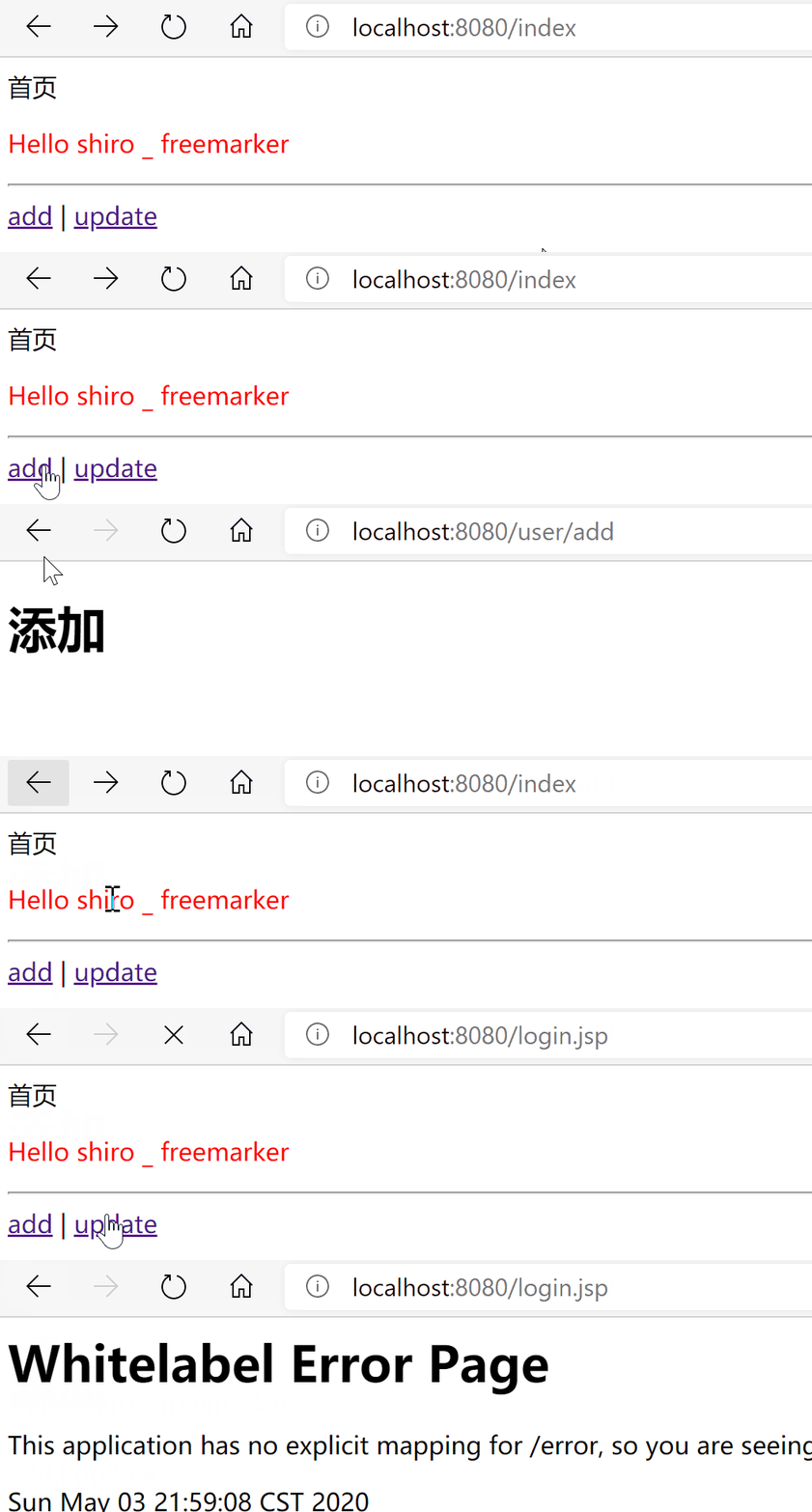
现在任何人都可以添加新用户,但修过用户必须经过验证
实现登录拦截
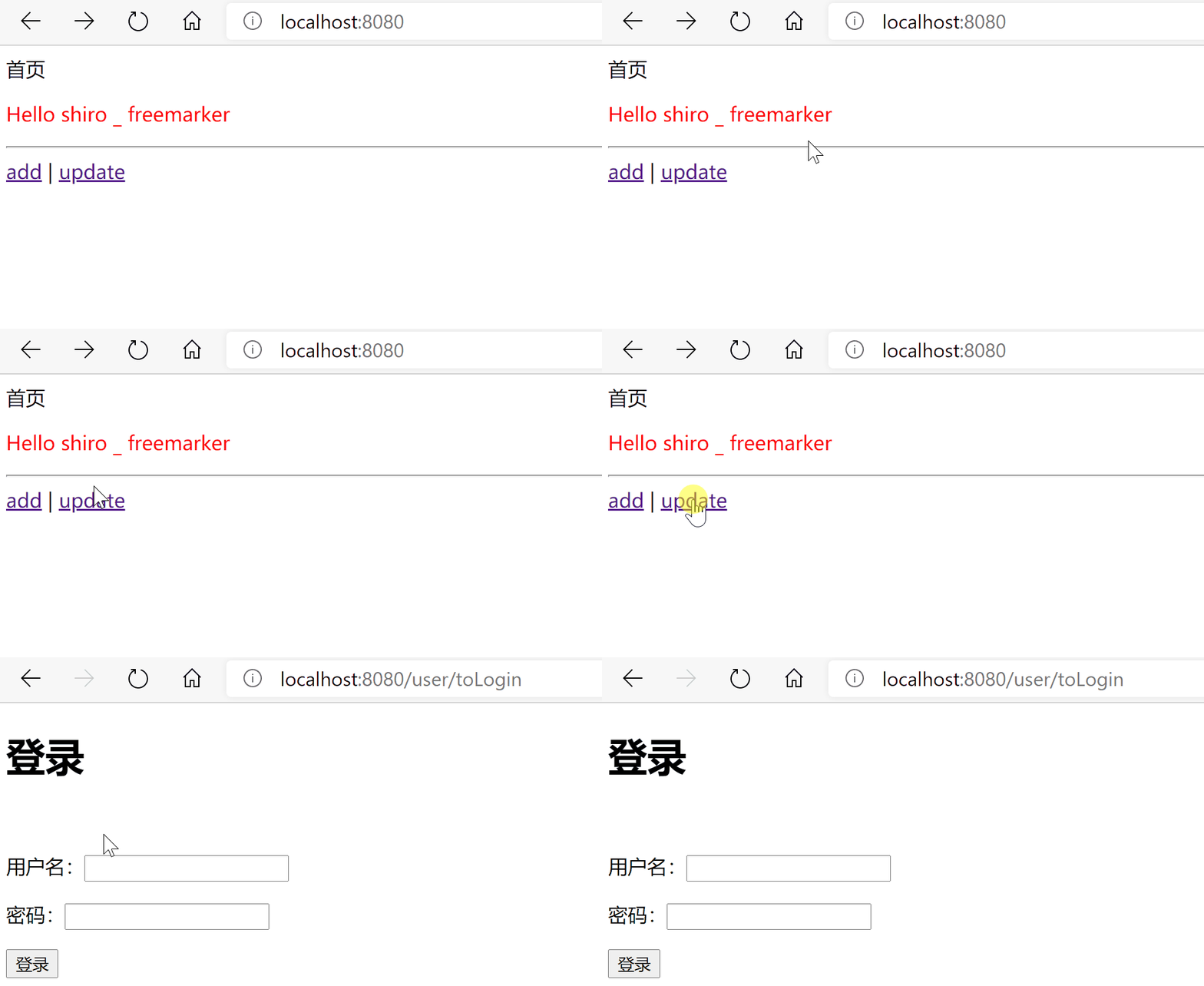
现在可以在shiroFilterFactoryBean中设置登录页URL,这样,上面的/user/update请求被拦截时就不再报错,而是跳转到我们指定的登录路由
//shiroFilterFactoryBean
@Bean
public ShiroFilterFactoryBean getShiroFilterFactoryBean(DefaultSecurityManager defaultSecurityManager) {
ShiroFilterFactoryBean shiroFilterFactoryBean = new ShiroFilterFactoryBean();
shiroFilterFactoryBean.setSecurityManager(defaultSecurityManager);
Map<String, String> filterChainDefinitionMap = new LinkedHashMap<>();
//让/user/add路由能被所有人访问
filterChainDefinitionMap.put("/user/add", "anon");
//认证过后才允许访问/user/update
filterChainDefinitionMap.put("/user/update", "authc");
shiroFilterFactoryBean.setFilterChainDefinitionMap(filterChainDefinitionMap);
//设置登录路由
shiroFilterFactoryBean.setLoginUrl("/user/toLogin");
return shiroFilterFactoryBean;
}